Every action, recorded and immutable
The Audit log is an append-only record of everything operators do in the console — who did what, to which object, and when. Nothing is editable, and nothing can be deleted from the interface.
Try DemoEntries are only ever added — never edited, never removed from the console.
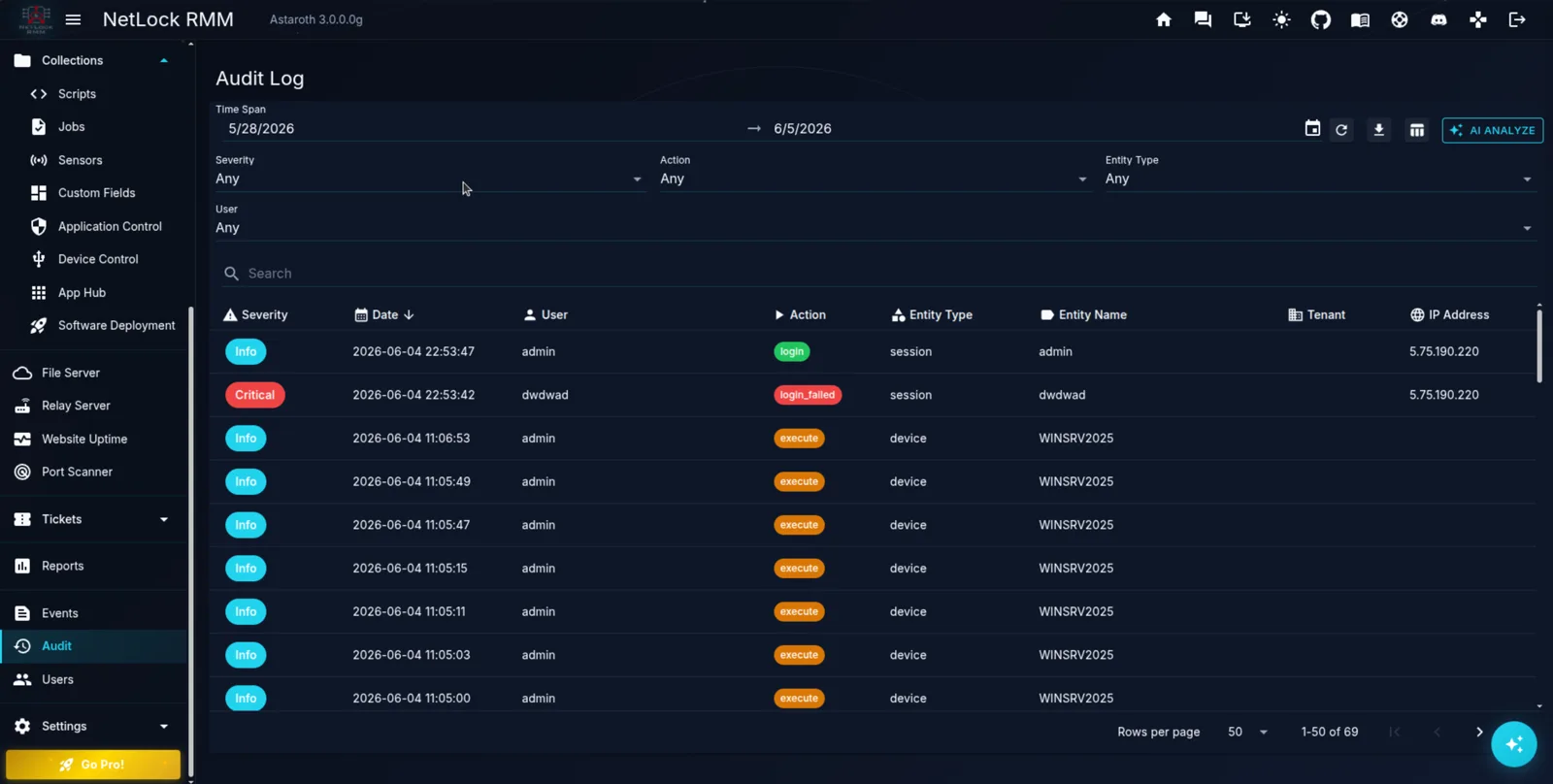
The Audit Log, live in NetLock RMM
Filter by time span, severity, action, entity type and user — every action recorded with timestamp, identity and IP address.
Two streams, two questions
NetLock RMM keeps operational activity and console accountability in separate streams.
Events
What happened out on the devices — agent activity, sensor triggers, and operational signals from the managed fleet.
Audit
What happened inside the console — every operator action, captured for accountability and compliance.
Ten kinds of action, all tracked
Every audit entry is classified by the kind of action it records.
create
A new object was created.
update
An existing object was modified.
delete
An object was removed.
login
An operator signed in.
login_failed
A sign-in attempt was rejected.
logout
An operator signed out.
execute
An action or job was run.
export
Data was exported out of the console.
authorize
Access or a device was granted.
deauthorize
Access or a device was revoked.
Eighteen entity types covered
Audit entries name the exact kind of object they touched.
Built so the record can be trusted
The audit trail is designed to be tamper-evident and self-policing.
Append-only
Entries can only be added — there is no way to edit or delete an audit record from the console.
Retention you control
How long audit history is kept is configured deployment-wide under Settings → Logging.
Prove what happened, every time
An immutable trail your auditors — and your compliance team — can rely on.
View Pricing