File Server
Host and share tools or resources with your customers using a fully equipped file server
Overview
This feature offers a fully equipped file server to host and share tools or resources with your customers. You can track the history of all files downloaded from or uploaded to a device using the remote file browser, giving full visibility into file interactions. Additionally, it provides access to the NetLock RMM agent and installer files, making deployment and updates easily manageable.
Features
Upload
Upload files to the server for sharing with your customers and devices
Download
Download files from the server when needed for deployment or distribution
Access Control
Configure file access securely using GUID-only access or require passwords for enhanced security
Remote File Browser History
Review the complete history of files downloaded and uploaded from devices
Secure Access Options
To configure file access in a secure manner, you can set up options that allow downloading a file using only its GUID (Globally Unique Identifier) or, for added security, require a password. This flexibility can help balance convenience and security according to your needs.
- GUID-only access: Quick and convenient access using unique identifiers
- Password-protected: Enhanced security requiring authentication
Agent Files Access
The file server also provides convenient access to NetLock RMM agent and installer files, making it easy to deploy agents to new devices and ensure all agents are running the latest version.
File Server Interface
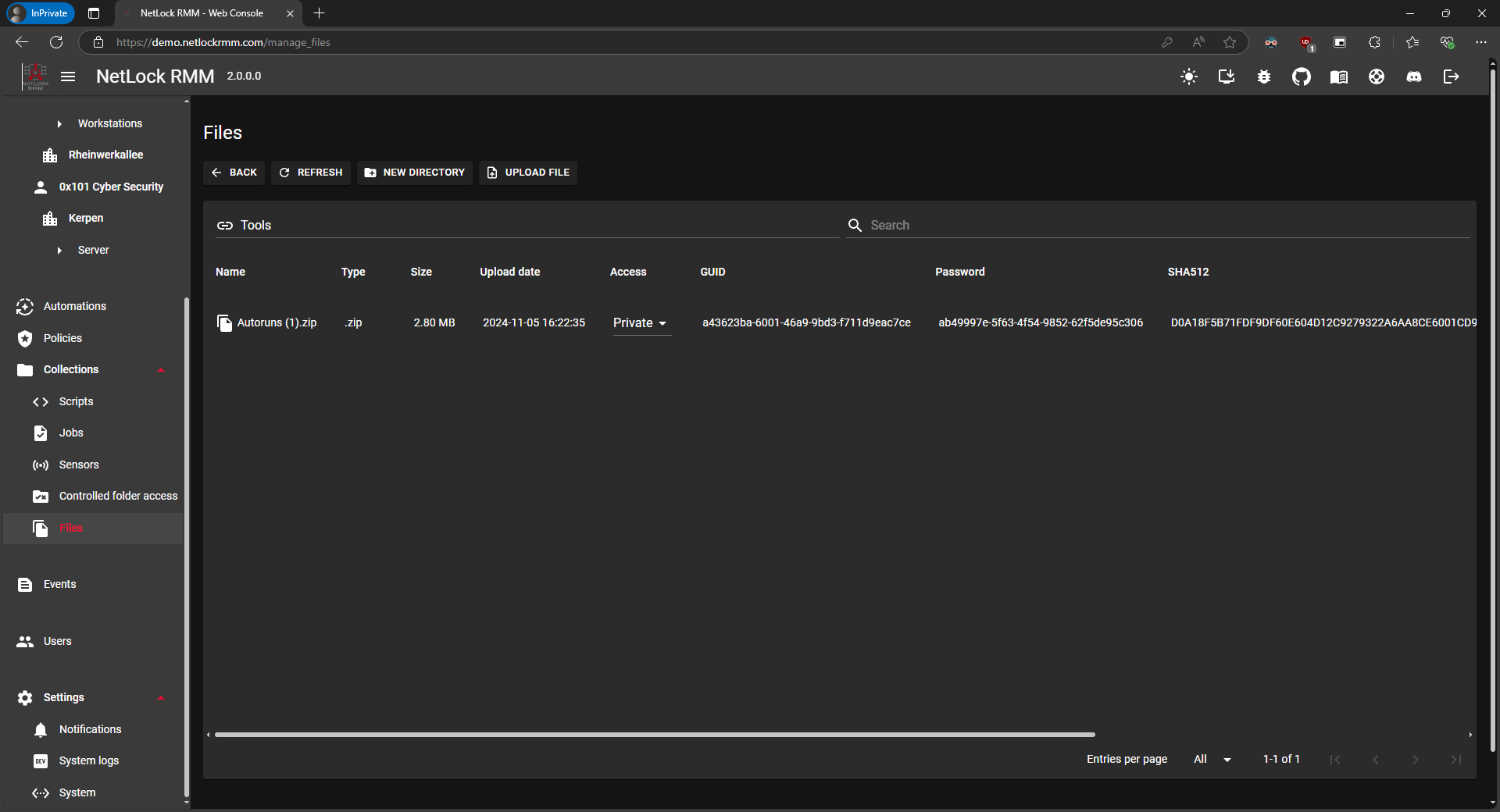
The file server interface provides an intuitive way to manage your shared files and resources