Beginner's Guide
Get started with NetLock RMM from installation to your first monitored devices
First Considerations
Obviously with NetLock RMM being open source you could self compile and package it by downloading the source from GitHub, but that's a lot of work. We offer free & paid memberships to allow an easy deployment of NetLock RMM through our Members Portal.
Open Source
We provide a free, open-source membership to help you get started with NetLock RMM. This membership allows you receiving an API key to automatically retrieve required agent packages. While we do not provide direct troubleshooting for technical issues, you can join our community Discord for assistance or report bugs on GitHub.
Pro
If you require professional support, such as server setup and upgrade assistance, or deeper troubleshooting you might want to consider our pro membership.
The Installation
To get started with the deployment of your NetLock RMM server instance, follow this guide:
Post Server Installation Checklist
If this is your first NetLock RMM installation, follow these steps to familiarize yourself with the solution and ensure everything is set up properly.
Verify your setup is working correctly
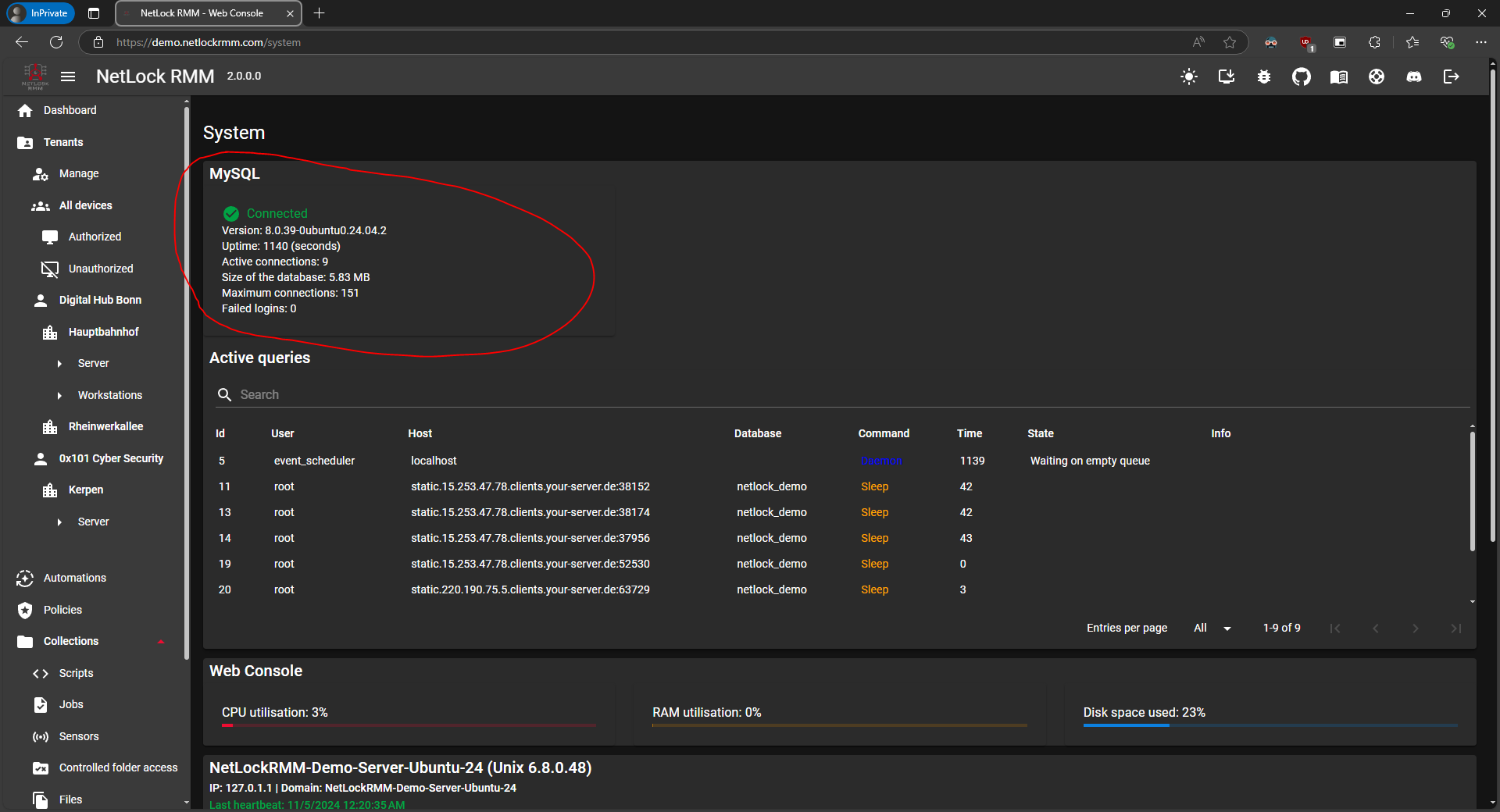
Ensure that all components are set up correctly. In your web console, navigate to the left sidebar, find the Settings section, and open System.
Please verify the MySQL connection. The expected result should resemble the following format:
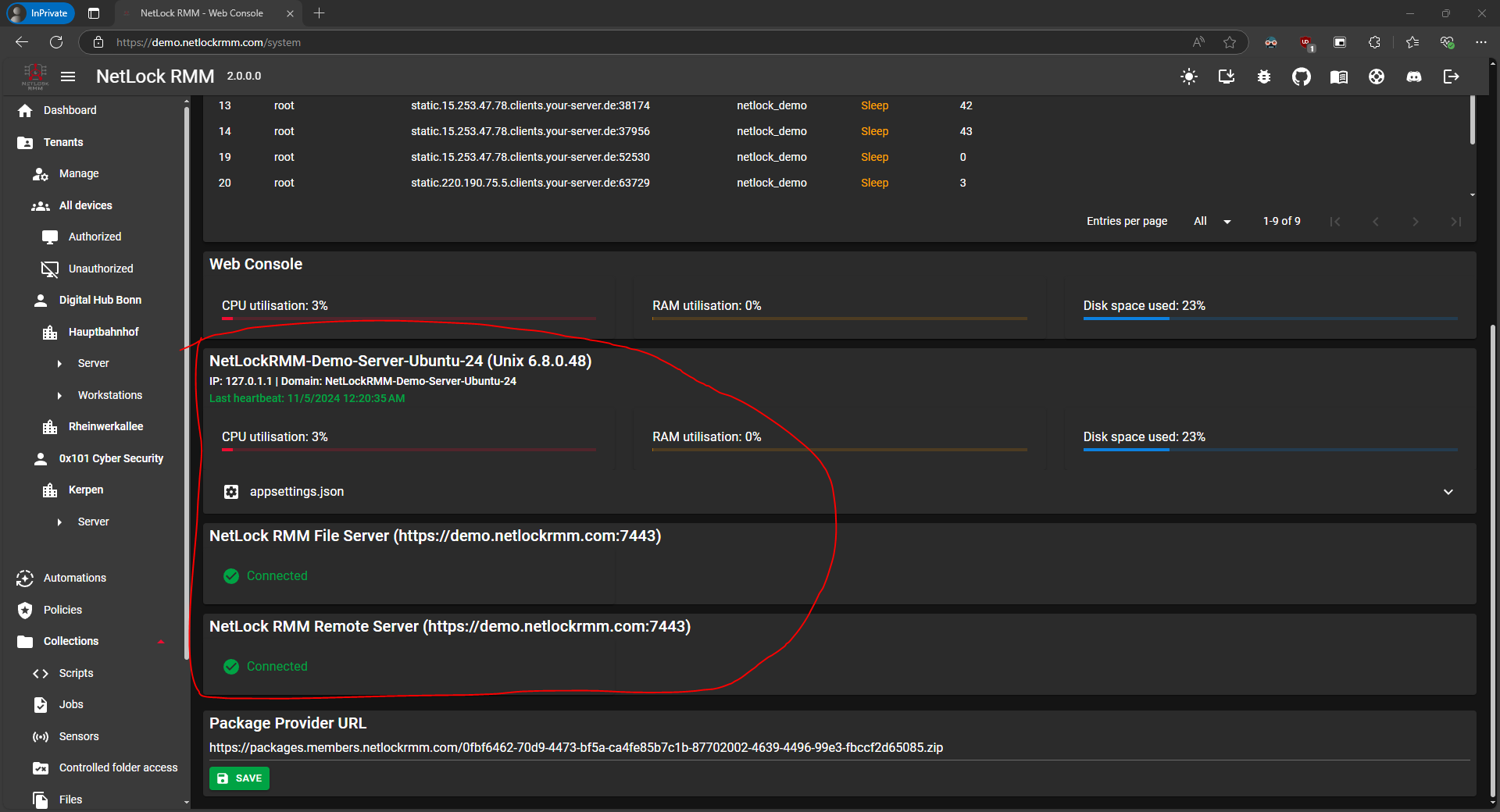
Now, please check that your NetLock RMM Server is up and running, and ensure that the file server and remote server roles are properly configured.
Your First Tenant, Location & Groups
Create your first tenant (customer) to organize your devices and policies.
Learn moreEnable the Remote Features
Configure and enable remote access capabilities for your devices.
Learn moreYour First Policy
Create your first policy to define device configurations and monitoring rules.
Learn moreAutomatically Assign the Policy to Your Tenant with Automations
Create a new automation to automatically assign your new policy to your future devices.
Learn moreCreate Your Scripts, Jobs & Sensors
Prepare the jobs and sensors you want to execute on your devices. Do not forget to enable your jobs and sensors in your policy after creating them.
Learn moreInstall Your First Agents
Deploy NetLock RMM agents to your devices to start monitoring and management.
Learn moreNotifications
Set up notifications based on the events that occur. NetLock RMM supports several notification options.
Learn moreFile Server
Store essential tools directly on the NetLock RMM backend's file server role for easy access through your scripts.
Learn moreAnything else?
Feel free to explore the capabilities of NetLock RMM on your own. If you have any further questions, don't hesitate to join our Discord community or contact us directly.